

First use Windows diskpart to partition your USB drive with GPT.
diskpart
DISKPART> list disk
(Find the disk number)
DISKPART> select disk 2
Disk 2 is now the selected disk.
DISKPART> clean
DiskPart succeeded in cleaning the disk.
DISKPART> convert gpt
DiskPart successfully converted the selected disk to GPT format.
DISKPART> create partition primary
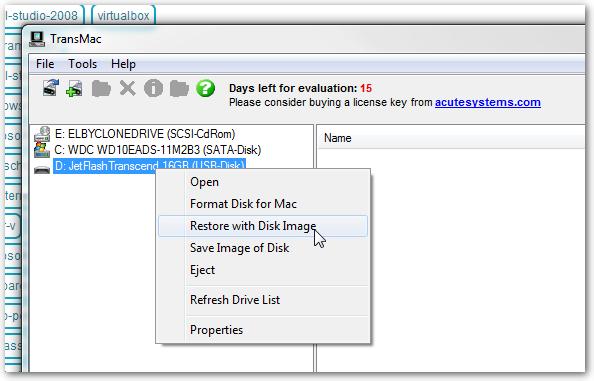
Second, use TransMac to restore with Disk Image
1. In the left pane, right click the USB Drive and select Format Disk for Mac

2. In the left pane, right click the USB Drive and select Restore with Disk Image

3. Point to your .dmg (or choose All Files to select an .iso) file and click Open.